

Apple Intelligence in Xcode 26 provides built-in AI assistance for coding. By integrating OpenRouter, you can access hundreds of AI models directly in your Xcode development environment, going far beyond the default ChatGPT integration.
This integration allows you to use models from Anthropic, Google, Meta, and many other providers without leaving your development environment.
Apple Intelligence on Xcode is currently in Beta and requires:
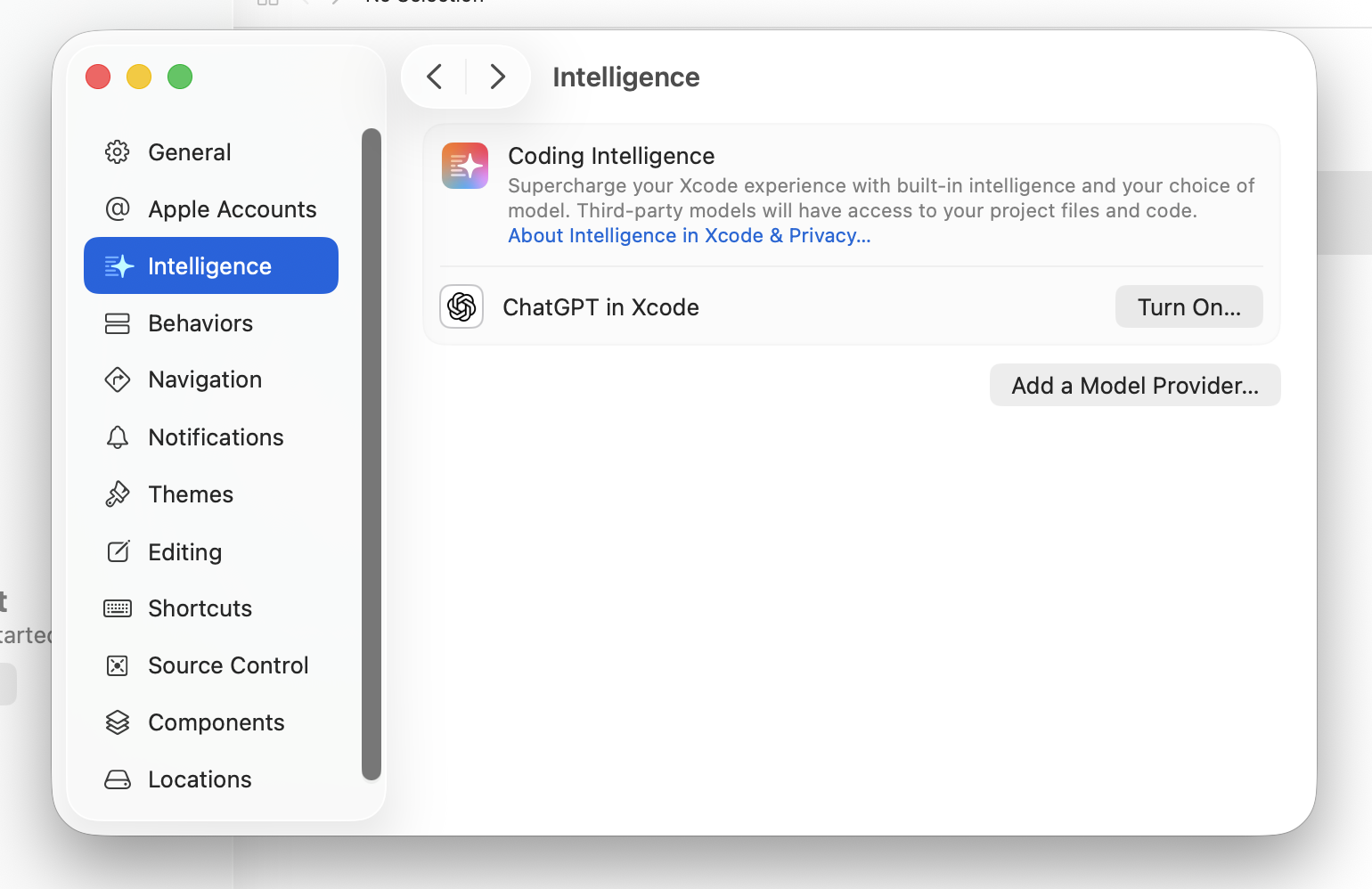
Navigate to Settings > Intelligence > Add a Model Provider in your macOS system preferences.
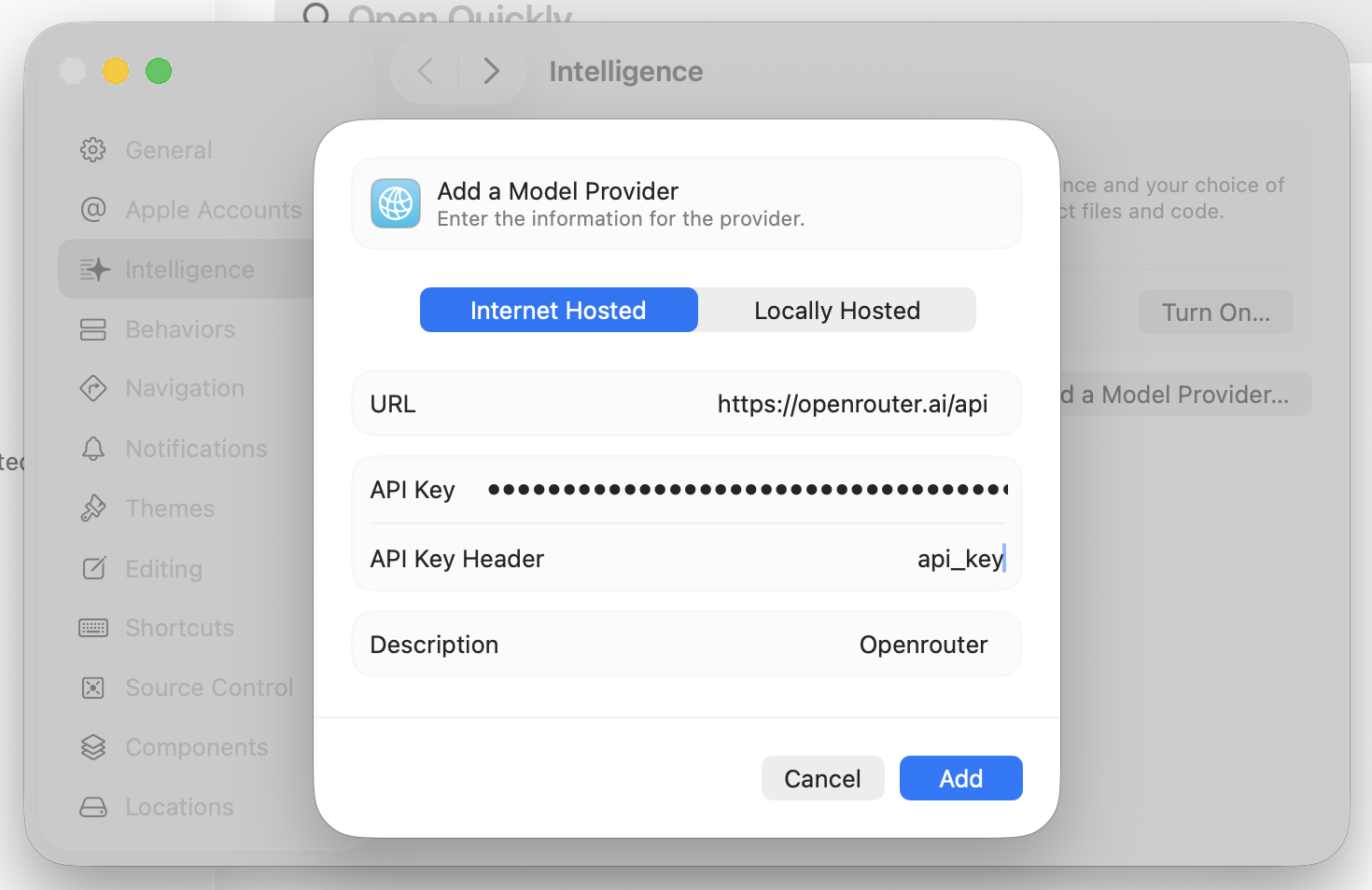
In the “Add a Model Provider” dialog, enter the following details:
https://openrouter.ai/api
/v1 at the end of the endpoint like you typically would for direct API callsapi_keysk-or-v1-)OpenRouter (or any name you prefer)Click Add to save the configuration.
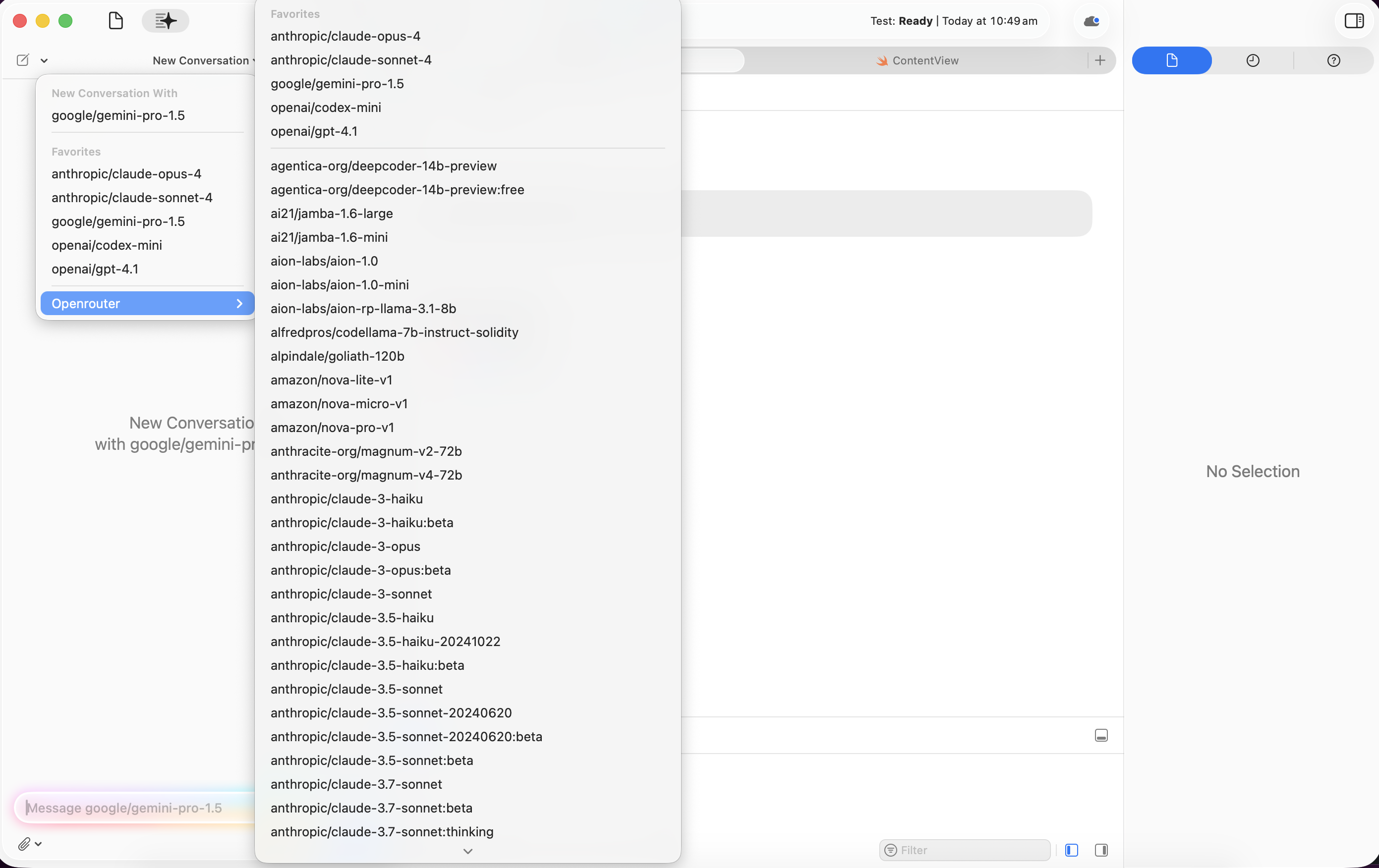
Once configured, click on OpenRouter to see all available models. Since OpenRouter offers hundreds of models, you should bookmark your favorite models for quick access. Bookmarked models will appear at the top of the list, making them easily accessible from within the pane whenever you need them.
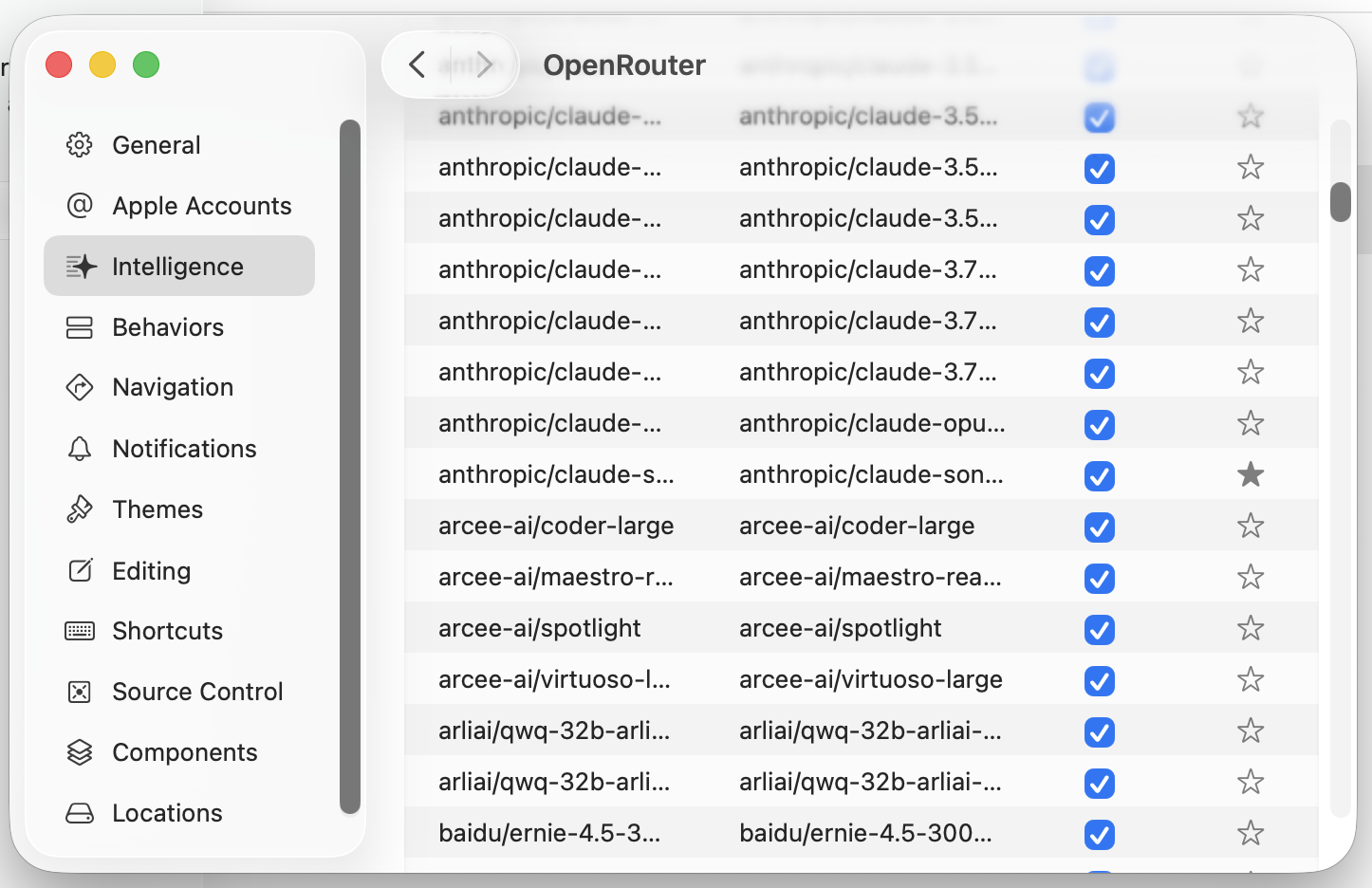
You’ll have access to models from various providers including:
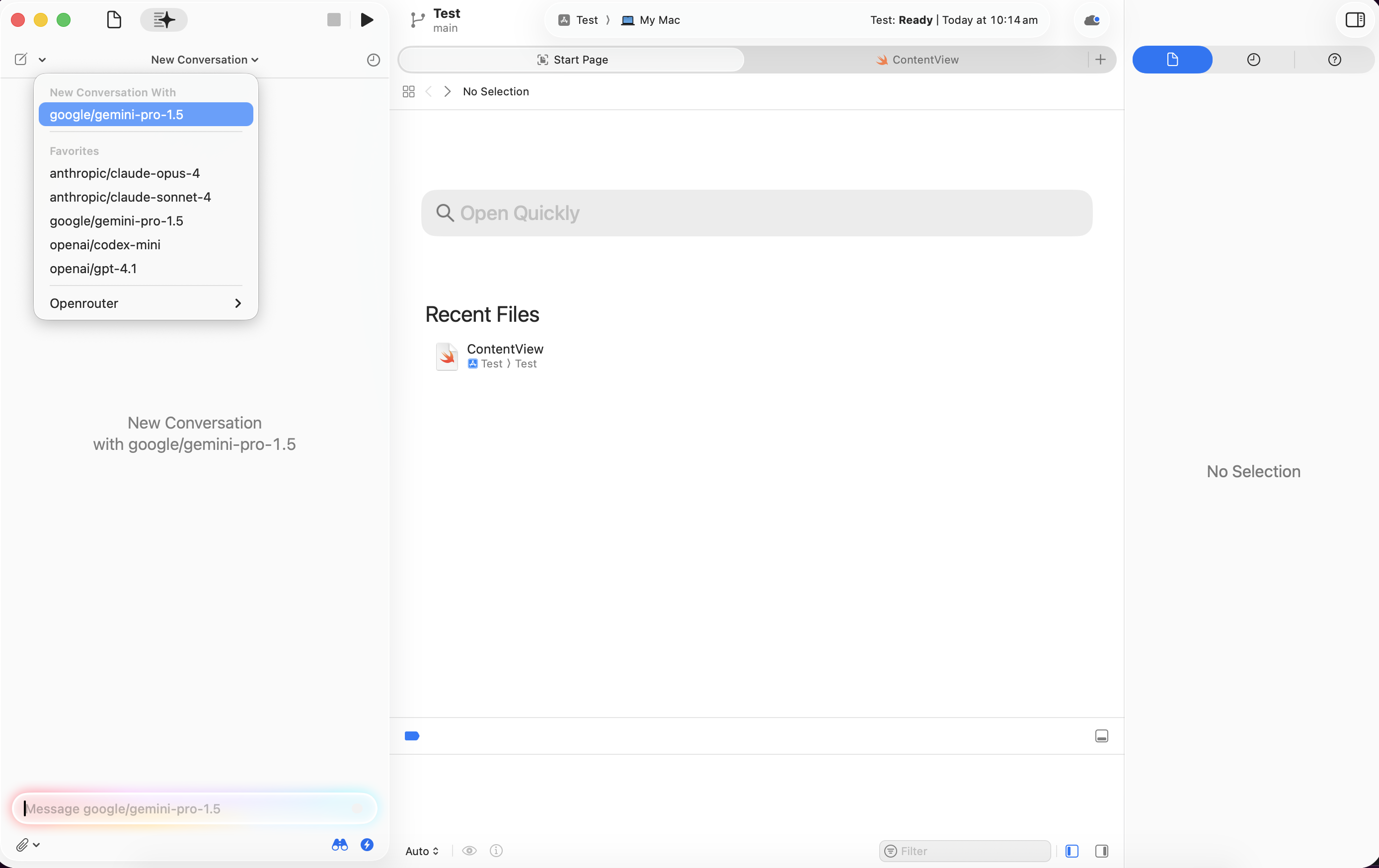
Head back to the chat interface (icon at the top) and start chatting with your selected models directly in Xcode.
Once configured, you can use Apple Intelligence features in Xcode with OpenRouter models:
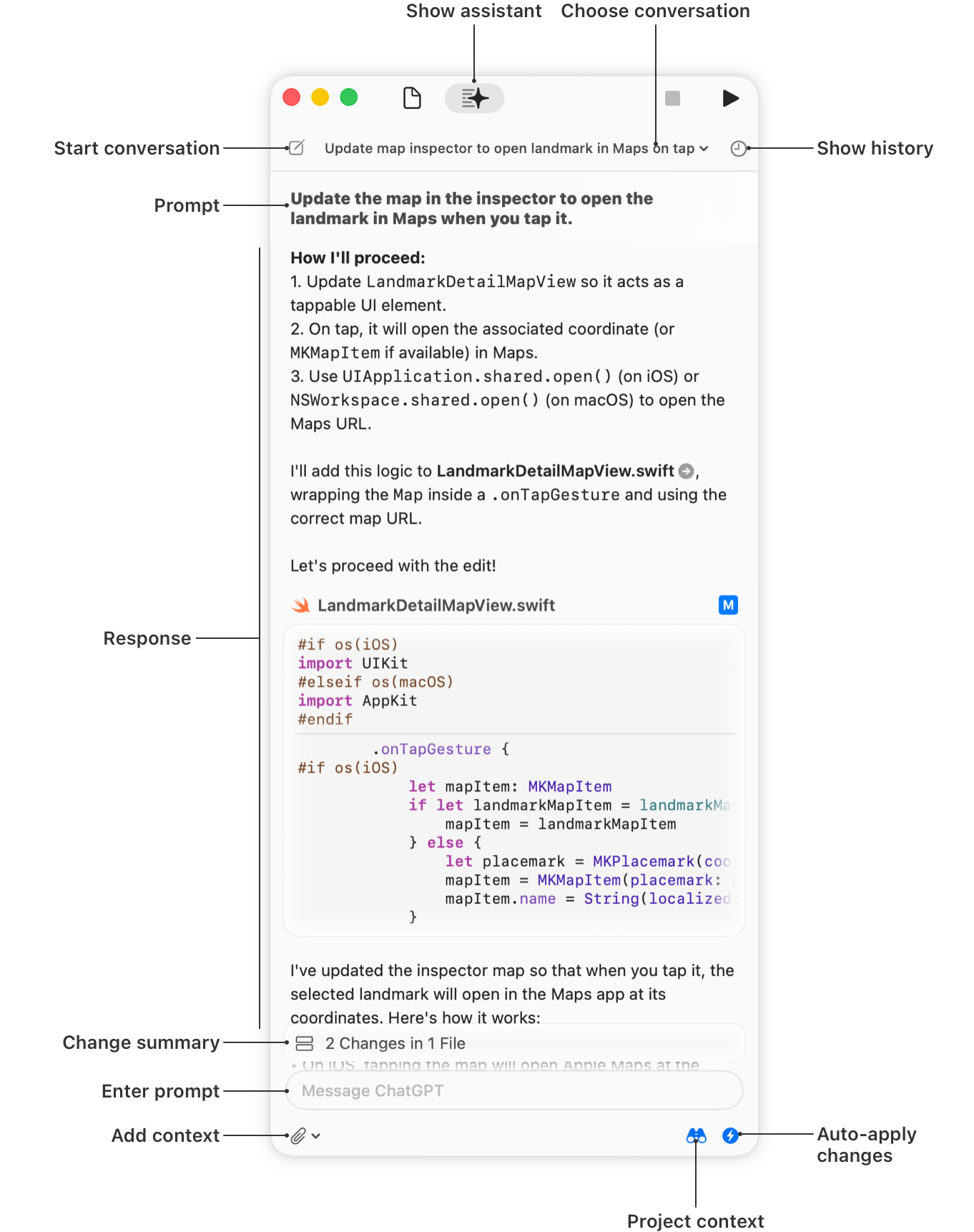
Image credit: Apple Developer Documentation